Sometimes you need to extract text from Word documents for various purposes. As a Java developer, you can easily extract text from DOC or DOCX files programmatically. In this article, you will learn how to extract text from Word documents using Java.
The following topics are covered in this article:
- Java API to Extract Text from Word Documents
- Extract Text from Word Documents using Java
- Extract Text from Specific Pages of a Word Document using Java
- Get Highlight from Word Documents using Java
- Extract Formatted Text from DOCX using Java
- Extract Text by Table of Contents using Java
Java API to Extract Text from Word Documents
To extract text from DOC or DOCX files, we use the GroupDocs.Parser for Java API. It extracts text, metadata, and images from popular formats such as Word, PDF, Excel, and PowerPoint. It also supports raw, formatted, and structured text extraction for all supported formats.
You can download the JAR of the API or add the following pom.xml configuration to your Maven‑based Java project.
<repository>
	<id>GroupDocsJavaAPI</id>
	<name>GroupDocs Java API</name>
	<url>https://repository.groupdocs.com/repo/</url>
</repository>
<dependency>
	<groupId>com.groupdocs</groupId>
	<artifactId>groupdocs-parser</artifactId>
	<version>21.2</version>
</dependency>
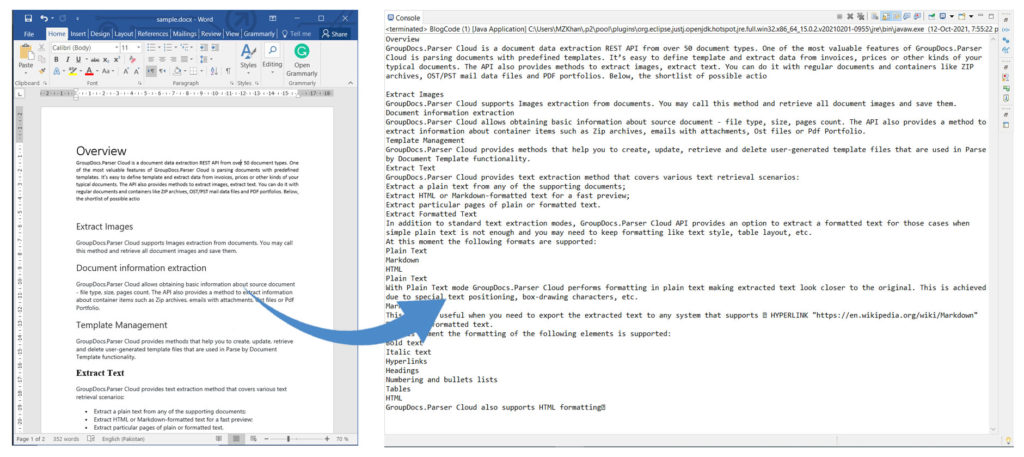
Extract Text from Word Documents using Java
Follow these steps to parse any Word document and extract its text:
- Load the DOCX file with the Parser class.
- Call the Parser.getText() method to retrieve the text.
- Store the result in a TextReader object.
- Use TextReader.readToEnd() to read all characters and return a single string.
The code sample below demonstrates how to extract text from a DOCX file using Java.
Extract Text from Word Documents using Java
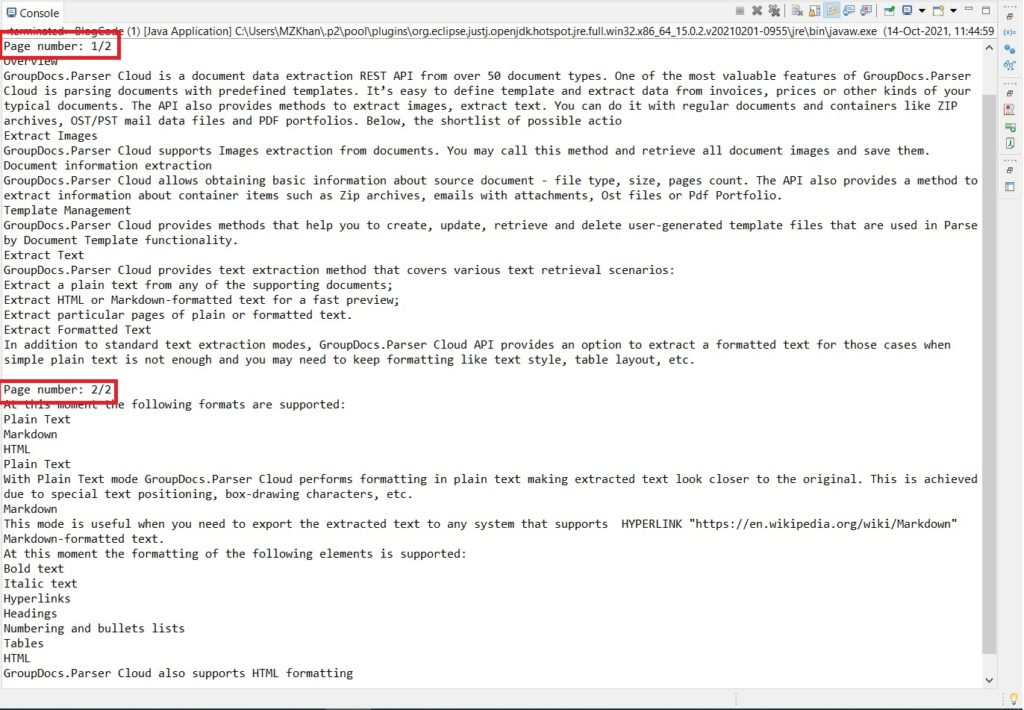
Extract Text from Specific Pages of a Word Document using Java
Parse a Word document and extract text from a specific page with these steps:
- Load the DOCX file using the Parser class.
- Verify that text extraction is supported with Parser.getFeatures().isText(). See supported features for details.
- Call Parser.getDocumentInfo() to obtain general document information such as file type, page count, and size.
- Store the result in an IDocumentInfo object.
- Ensure that IDocumentInfo.getPageCount() is greater than zero.
- Loop through the pages and call Parser.getText() for each page index, receiving a TextReader object.
- Finally, read the extracted text with TextReader.readToEnd().
The following code shows how to extract text page by page using Java.
Extract Text from Specific Pages of a Document using Java
Get Highlight from Word Documents using Java
A highlight marks text to provide context in search results. Extract a highlight with these steps:
- Load the DOCX file using the Parser class.
- Create a HighlightOptions object and set the maximum length to define a fixed‑length highlight.
- Call Parser.getHighlight() with the start position and the HighlightOptions object to obtain a HighlightItem.
- Use Highlight.getPosition() and HighlightItem.getText() to retrieve the highlight’s position and text.
The code sample below extracts a highlight from a document using Java.
At 0: Overview
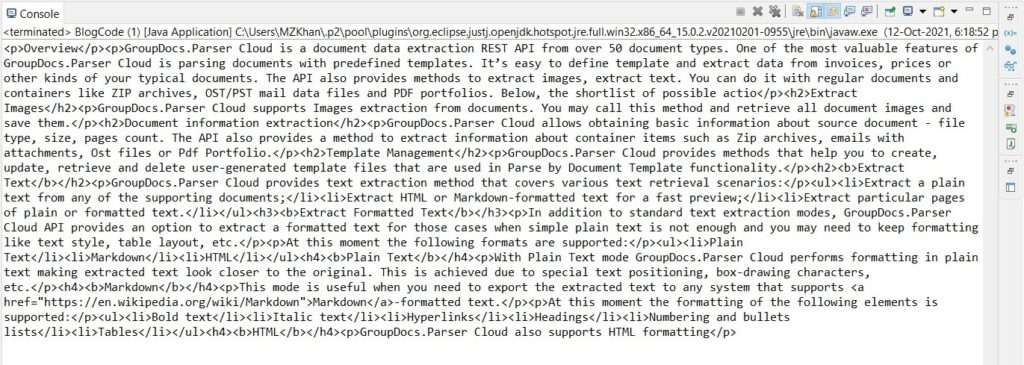
Extract Formatted Text from DOCX using Java
Parse Word documents and retain style formatting by following these steps:
- Load the DOCX file with the Parser class.
- Define FormattedTextOptions and set FormattedTextMode to HTML to get HTML‑formatted output.
- Call Parser.getFormattedText() to extract the formatted text.
- Store the result in a TextReader object.
- Use TextReader.readToEnd() to read the complete text.
The code sample below extracts formatted text from a DOCX file using Java.
Extract Formatted Text from DOCX using Java
Extract Text by Table of Contents using Java
Extract text based on the table of contents with these steps:
- Load the DOCX file using the Parser class.
- Call Parser.getToc() to obtain a collection of TocItem objects.
- Verify that the collection is not null.
- Iterate through the TocItem collection and call TocItem.extractText() to get the text referenced by each item.
- Store the result in a TextReader object.
- Finally, read all text with TextReader.readToEnd().
The code sample below extracts text by table of contents from Word documents using Java.
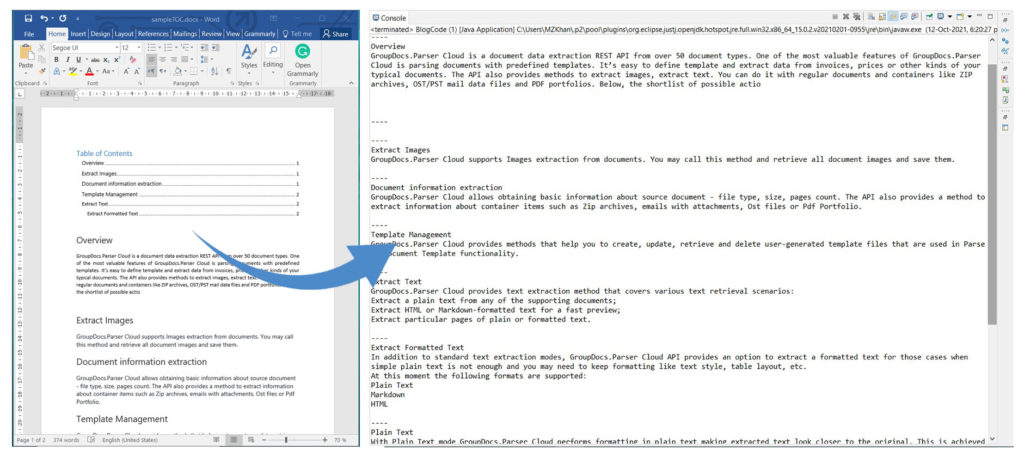
Extract Text by Table of Contents using Java
Get a Free License
You can try the API without evaluation limitations by requesting a free temporary license.
Conclusion
In this article, you learned how to extract text from Word documents using Java. You also saw how to extract formatted text from a DOCX file, how to extract text by the table of contents, and how to extract highlights. For more details, explore the GroupDocs.Parser for Java API in the documentation. If you have questions, visit the forum.