In today’s fast‑paced educational and exam settings, quickly scanning answer sheets is essential. Modern Optical Mark Recognition (OMR) lets educators, institutions, and corporate trainers replace manual grading with instant digital evaluation. This guide shows how to use a reliable browser‑based tool that requires no software installation or technical expertise. Upload your scanned answer sheets and receive a structured CSV file with accurate results in seconds.
Whether you manage small quizzes or large‑scale exams, this online solution delivers accuracy, reduces human error, and speeds up the evaluation process. It supports JPG and PNG images and works with custom answer sheet templates.
Why Scan Answer Sheets Online?
Scanning answer sheets online is becoming a preferred alternative to manual checking or legacy desktop OMR software for several reasons:
- Speed and Efficiency: Uploading images and extracting results in seconds saves valuable time compared with manual grading of hundreds of sheets.
- Accuracy in Evaluation: Intelligent pattern‑recognition algorithms eliminate the human errors that occur when fatigue sets in.
- Instant Result Export: Processed results are exported directly to a CSV file, ready for import into Excel, databases, or other systems.
How to Use the Online Answer Sheet Scanner
Using the online answer sheet scanner is simple and user‑friendly.
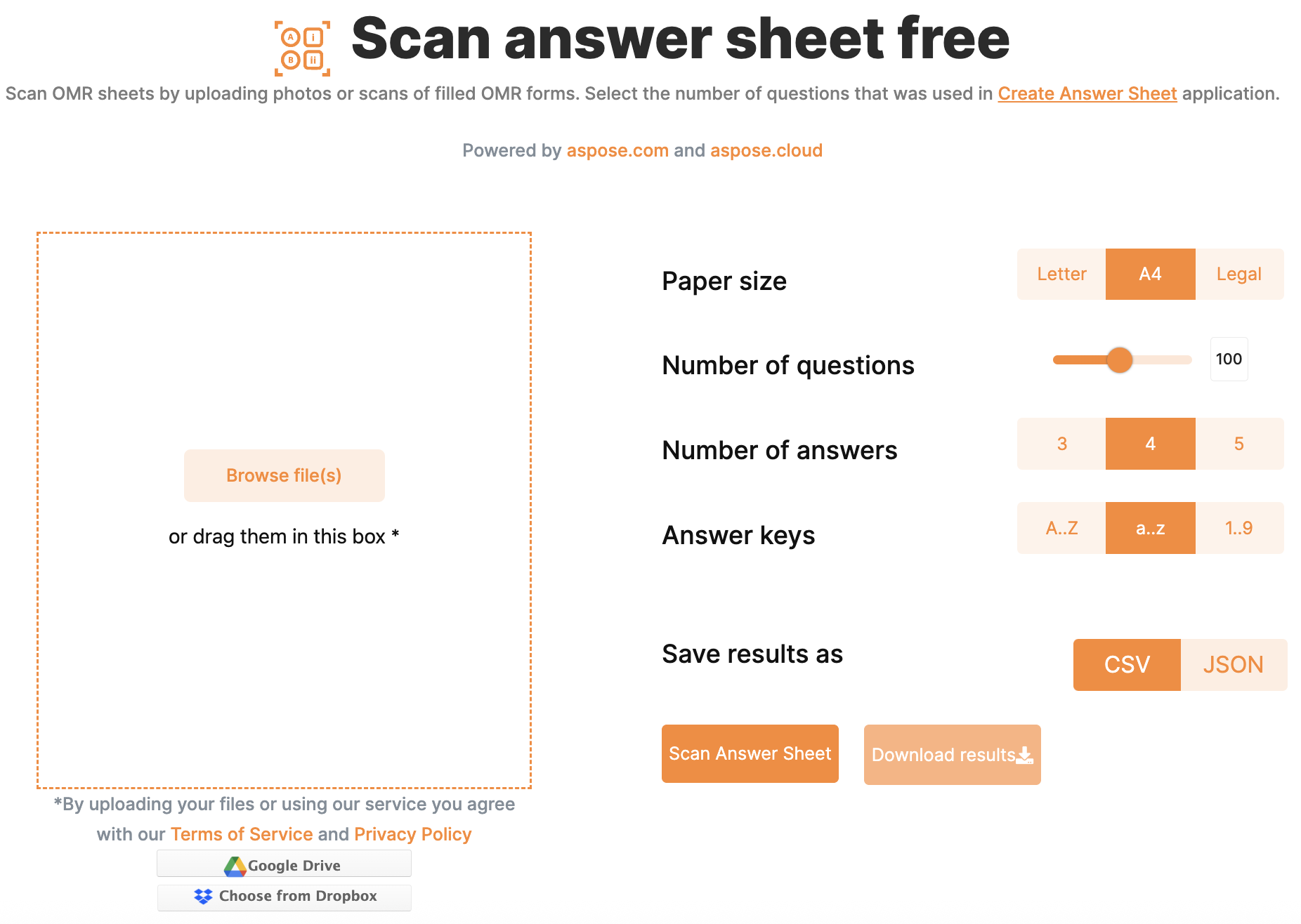
- Prepare Your Answer Sheet Template: Start with a digital OMR template that defines the layout of your sheet.
- Scan or Capture Image: Use a scanner or mobile device to capture a clear image of the completed sheet.
- Upload Image: Open the online application and upload the image (JPG or PNG).
- Process & Download Results: The system processes the image and provides a downloadable CSV file with the recognized responses.
The whole workflow is fast, making it ideal for both large and small batch processing.
Developer’s Guide
If you are a developer who wants to add answer sheet scanning to your application, you can use C# or Java with Conholdate.Total. Install the appropriate API and follow the examples below.
Scan Answer Sheet in C#
 // OMR Template file path
 string templatePath = "Sheet.omr";

 // Image file path
 string imagePath = "Sheet1.jpg";

 // Initialize OMR Engine
 OmrEngine engine = new OmrEngine();

 // Get template processor
 TemplateProcessor templateProcessor = engine.GetTemplateProcessor(templatePath);

 // Recognize image
 RecognitionResult result = templateProcessor.RecognizeImage(imagePath);

 // Get results in CSV
 string csvResult = result.GetCsv();

 // Save CSV file
 File.WriteAllText("Sheet1.csv", csvResult);
Scan Answer Sheet in Java
 // OMR Template file path
 String templatePath = "Sheet.omr";

 // Image file path
 String imagePath = "Sheet1.png";

 // Initialize OMR Engine
 OmrEngine engine = new OmrEngine();

 // Get template processor
 TemplateProcessor templateProcessor = engine.getTemplateProcessor(templatePath);

 // Recognize image
 RecognitionResult result = templateProcessor.recognizeImage(imagePath);

 // Get results in CSV
 String csvResult = result.getCsv();

 // Save CSV file
 PrintWriter wr = new PrintWriter(new FileOutputStream("Sheet1.csv"), true);
 wr.println(csvResult);
Wrapping Up
Online answer sheet scanning has changed how exams and quizzes are evaluated. A modern, browser‑based OMR tool removes manual errors, speeds up grading, and delivers reliable results—without any software installation. Whether you are an educator seeking a free tool or a developer building OMR features with C# or Java, this solution provides everything you need. Start today to make exam evaluations faster, simpler, and smarter.